Before you begin
Install Zillow Data Exporter, create a PropertyDataLabs account, and sign the extension in. All browser exports require sign-in, including exports on the Free plan. Follow the installation and sign-in guide if the dock still shows Log in.
The Free plan includes 50 single-page CSV exports per month. Each page normally contains up to 40 listings. Basic and higher plans add All, which combines the available search-results pages into one export, plus Excel files and field customization. Compare the current plans before choosing a workflow.
Prepare your for-sale search
- Open Zillow and search for your location.
- Select For Sale and apply the price, property-type, and other filters you need.
- Wait for the results to finish loading. Check that the visible listings match your research question.
For example, when comparing houses in a particular price range, apply those filters before exporting. The extension exports results from your search; it does not expand the search to every property in the city.
Export the current page
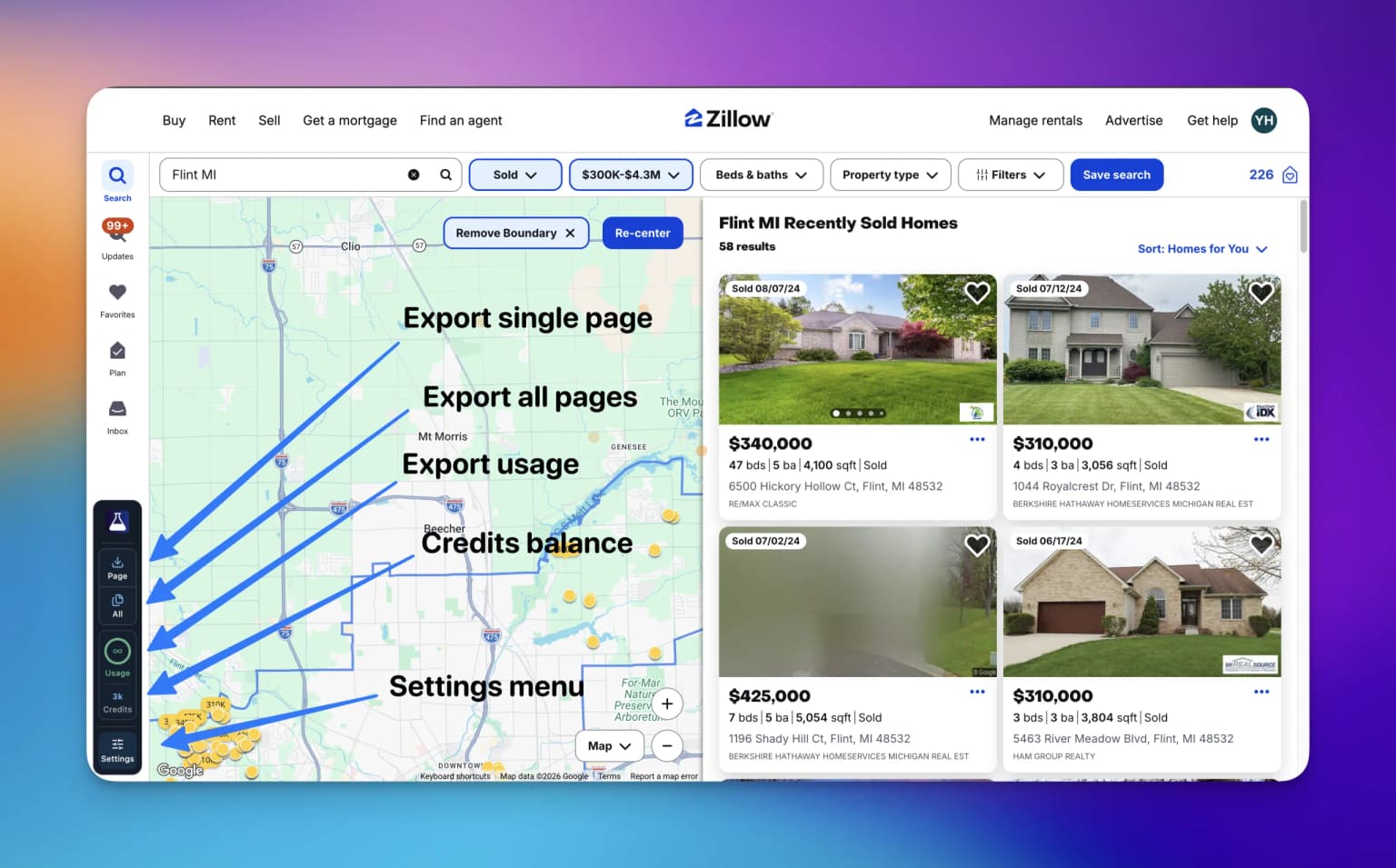
- Select Page in the always-visible PropertyDataLabs dock.
- Review the export options and start the export. Free exports use CSV and the default fields; Basic and higher plans can customize the fields and file format.
- Keep the Zillow tab open until the export finishes.
- Open the downloaded file and check the property count and columns.
Page processes only the results page currently open. A single-page export counts as one Extension export regardless of the number of listings on that page.
Export all available pages
On Basic or higher, open Settings → Export workflow → Page navigation and choose your starting page:
- Page 1 returns to the beginning of the search before exporting.
- Current page starts where you are and continues forward. Earlier pages are excluded.
Return to the search, select All in the dock, review the options, and confirm the export. Keep the tab open while the extension visits the result pages and prepares the download. One All action counts as one Extension export and does not consume Cloud credits.
Zillow exposes at most 20 search-results pages, normally with up to 40 listings each. This creates an approximate 800-listing ceiling, not a guarantee of 800 rows. A smaller search, a later starting page, or enabled duplicate prevention can produce fewer rows.
Check the file before analysing it
Confirm that the file covers the intended location, price range, and listing type. If rows are missing, check the starting-page setting and duplicate prevention. For export failures, use the troubleshooting guide.
When your search exceeds the browser limit, narrow it into useful segments or use Cloud Importer for larger jobs. Cloud jobs have their own access requirements and credit costs, and can continue after the browser closes.
For the complete browser workflow, see Export all pages.