


Cloud importer
Export properties at scale.
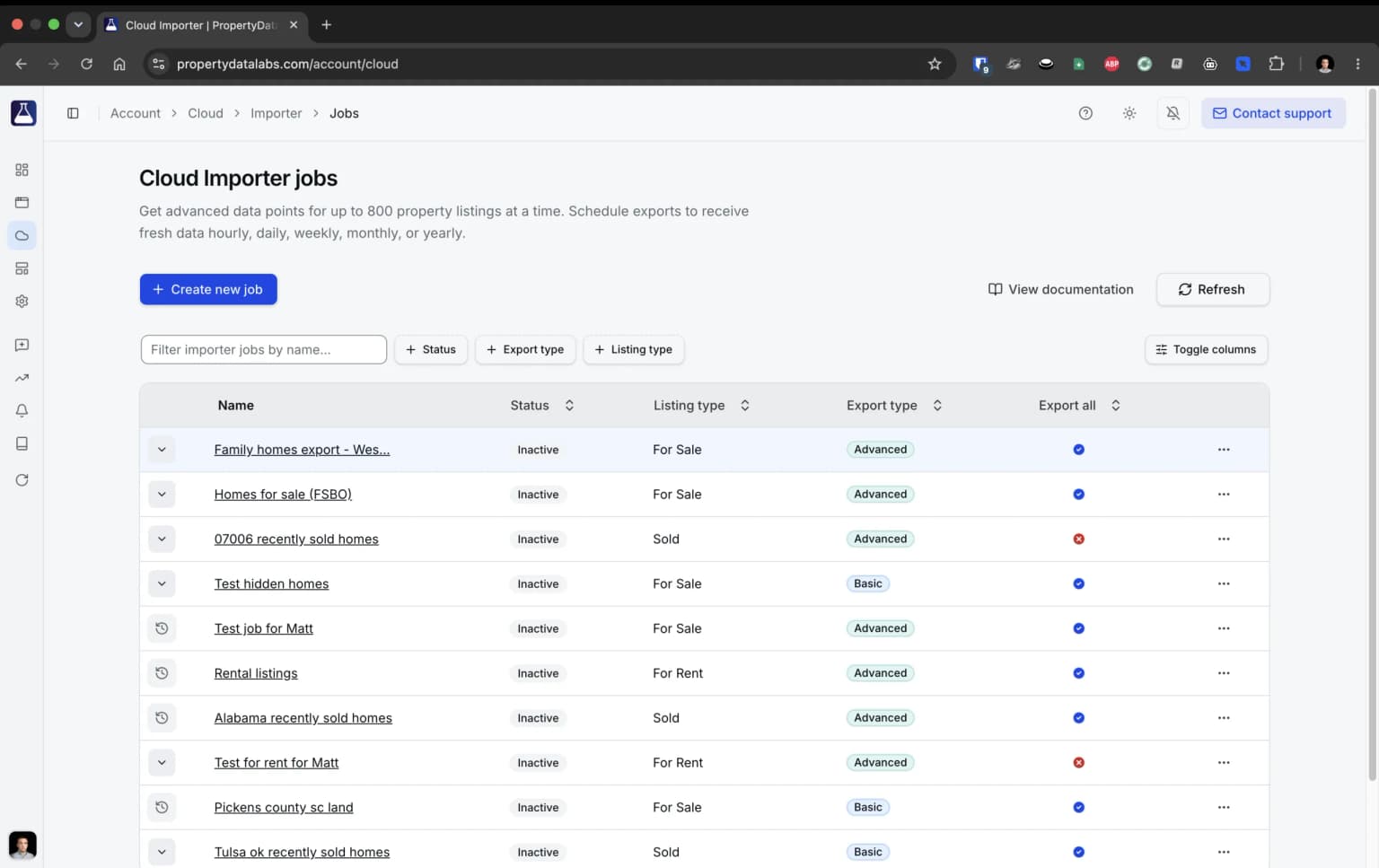
Send a Zillow search to the cloud, choose the fields you need, and return to a completed dataset when the job is ready.
- Close the browser after launch
- Handle larger result sets
- Keep every export organized
Selected five-star Chrome Web Store reviews from people using PropertyDataLabs for property research.
Keep your location, filters, and result set. PropertyDataLabs turns them into a structured file.
Export in place
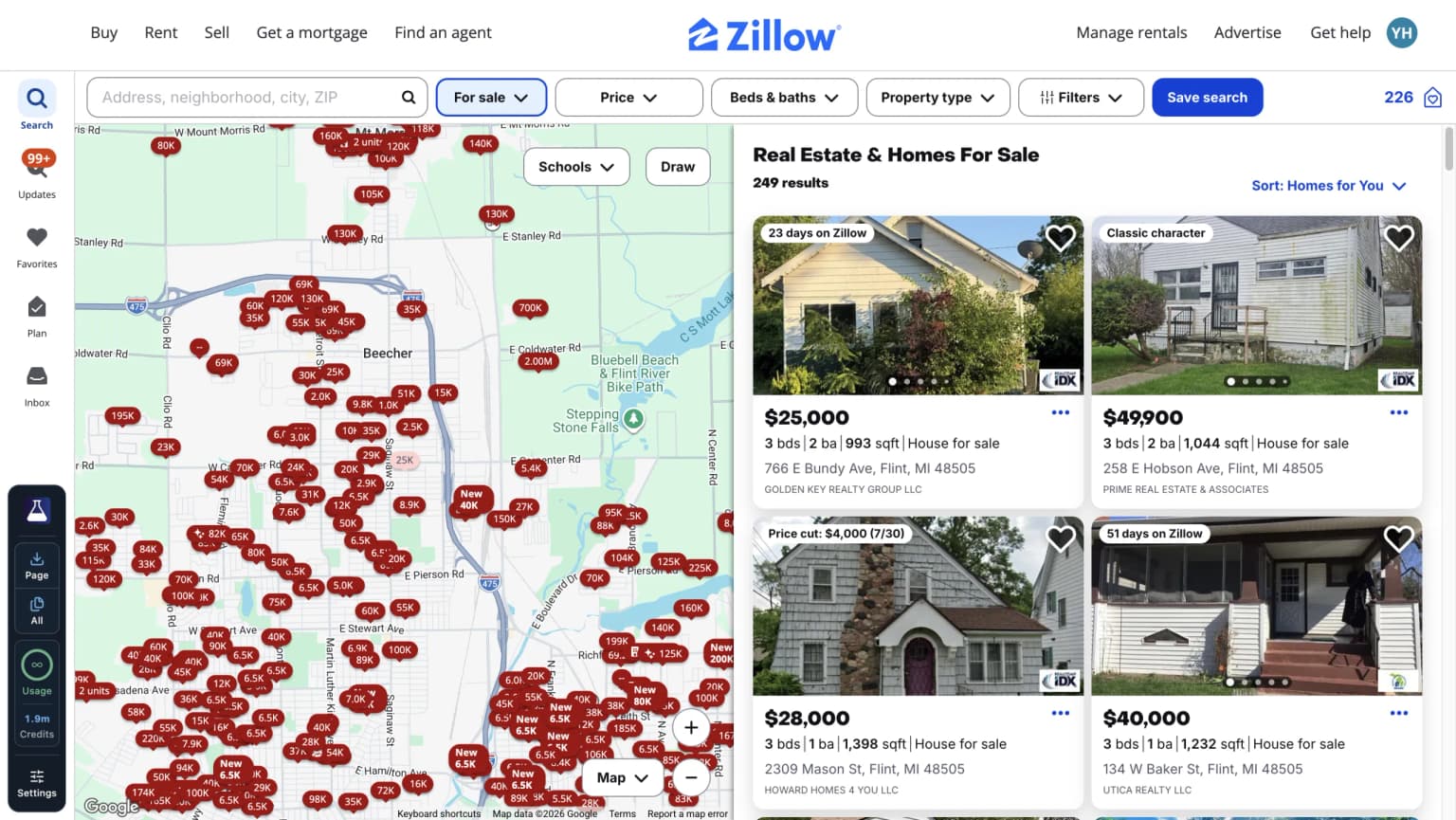
Browse normally. When a search is worth keeping, choose the fields and export it from the page you are already reviewing.
Keep working in Zillow. The extension turns the filters you already use into a configured CSV or Excel file without opening listings one by one.
Follow the Zillow-to-Excel export guide, or learn how to build and export a property shortlist across searches.
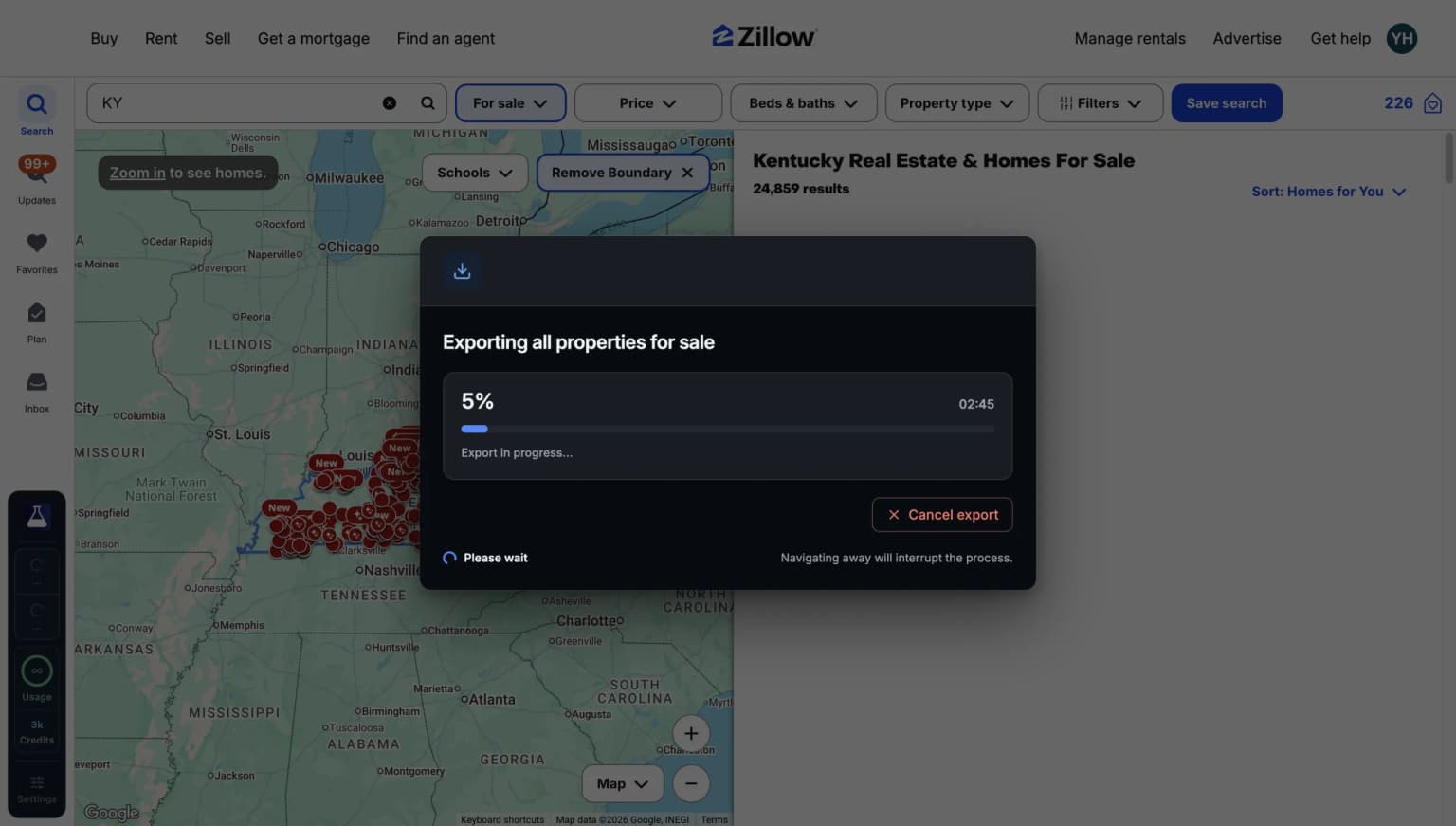
Follow one export
01 / 04The export starts from the live search you already built.
Move larger and recurring work to the cloud while keeping the same clean, predictable output.
Cloud importer
Send a Zillow search to the cloud, choose the fields you need, and return to a completed dataset when the job is ready.
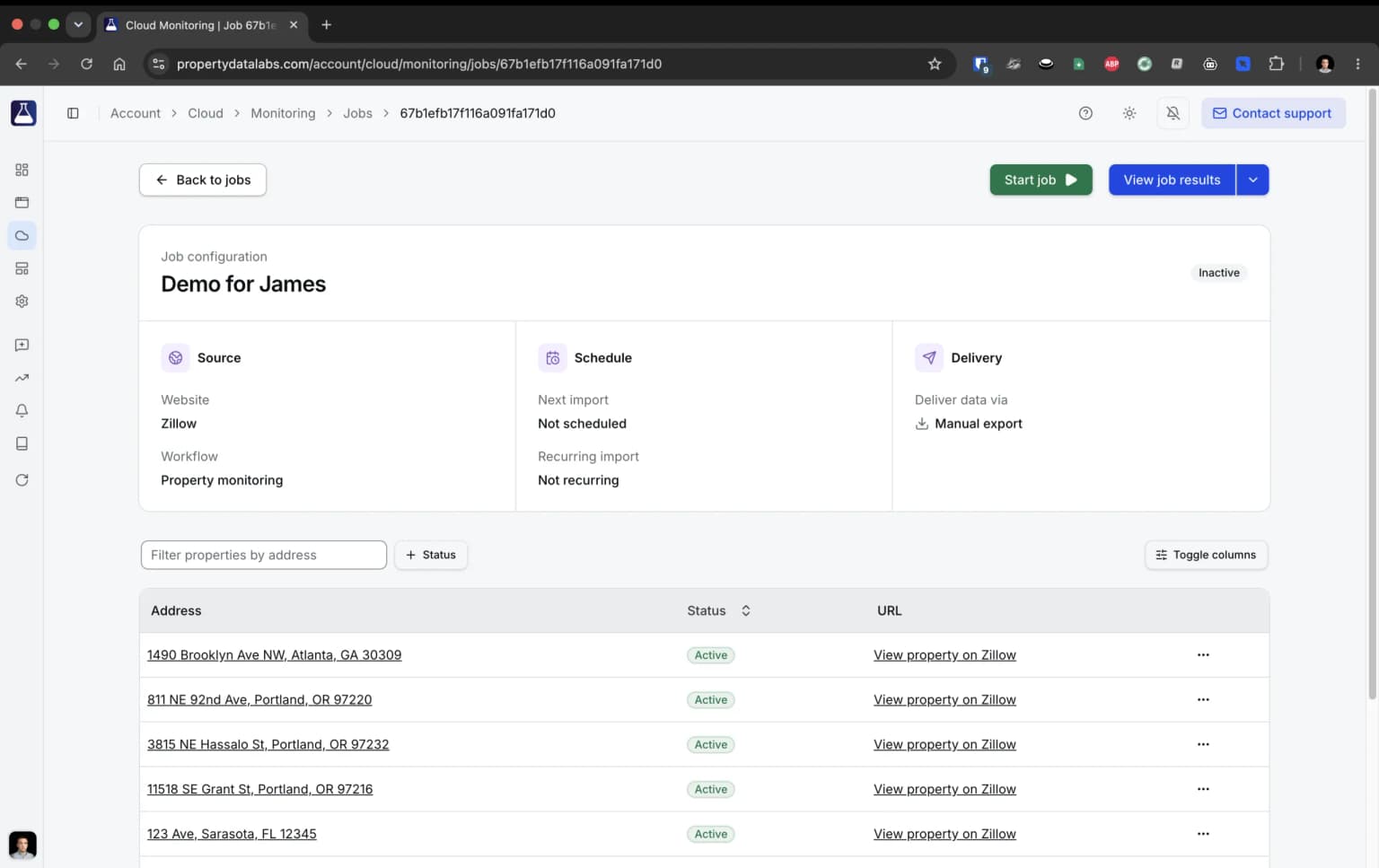
Cloud monitoring
Monitor selected properties over time and keep each result organized, so listing and price changes are easier to review.
Connect Codex, Claude Code, Cursor, or another compatible client with MCP. Ask in plain English to inspect Cloud jobs, get cited answers from the product docs, analyze normalized property records, and create structured exports.
Your completed run is ready. I can inspect its normalized records, create an export, or prepare a credit estimate and ask before starting the job again.
Manual entry repeats the same work across every listing. PropertyDataLabs turns the search you already built into a structured file.
A new task for every listing
The work restarts when the search changes.
One repeatable export workflow
The same workflow, search after search.
See the extensionAdjust the numbers to match your workflow. We will turn the time you could reclaim into a clear annual estimate.
These defaults assume 30 minutes saved each day.
Based on five workdays per week and 52 weeks per year. This is an estimate, not a guarantee of savings.
That is roughly
More Chrome Web Store reviews from people exporting, organizing, and analyzing Zillow data.
Use the extension at no cost, then choose a subscription for higher limits and more features when your workflow needs more.
Export up to 40 listings at a time to CSV. Free forever, with no credit card required.
Paid subscriptions
Annual plans are billed once a year. Export allowances reset monthly.
Every paid subscription includes a 7-day refund window. Manage or cancel your subscription from your account settings.
Compare every feature
Hej, I'm Yann. 👋
Property research kept turning into the same dull routine: open a listing, copy a value, paste it into a spreadsheet, repeat. I wanted to spend that time comparing properties instead.
What started as a small tool for my own searches became PropertyDataLabs. I still build it, use it, and read every support email myself.
“If it feels like repetitive spreadsheet work, the product should probably handle it.”
What that means in practice:
P.S. Built with with ☕, 🥐 in 🇸🇪.
Product behavior, billing, data availability, and support. If your question is not covered, contact the support team.
PropertyDataLabs is a suite of tools for exporting property listings from Zillow. Zillow Data Exporter runs in your browser and exports listings to CSV or Excel. The Cloud platform handles larger exports and monitoring without requiring you to keep your browser open, with Parquet and JSON available for supported job results.
No. PropertyDataLabs is an independent service and is not affiliated with, endorsed by, or sponsored by Zillow, Inc. Zillow and Zestimate are registered trademarks of Zillow, Inc.
PropertyDataLabs provides software and processing services rather than a standalone property-data marketplace. The extension processes information available in your browser. Cloud workflows use specialist third-party collection providers, with Bright Data as the primary provider, before PropertyDataLabs structures and exports the returned information.
Zillow may temporarily limit access when many listings are exported in a short period. If that happens, pause your exports and try again later.
You can use exported data for property research, market analysis, lead organization, and internal workflows. You are responsible for following Zillow's terms and any laws that apply to your use of the data.
The Chrome Web Store rating is a measure of how satisfied our users are with the extension (Zillow Data Exporter). It is based on the ratings and reviews that users leave on the Chrome Web Store. The rating is updated in real-time and can change at any moment.
The Chrome Web Store featured badge is a measure of how well our extension (Zillow Data Exporter) is performing on the Chrome Web Store. It is based on the number of users, the rating, and the reviews that users leave on the Chrome Web Store. The badge is updated in real-time and can change at any moment.
Open Billing in your account. For Stripe subscriptions, upgrades on the same billing interval take effect after the prorated payment succeeds. Downgrades and interval changes take effect at renewal. Existing Paddle subscribers can switch from monthly to yearly immediately with proration. Contact support to switch a Paddle subscription from yearly to monthly.
There is no time-limited trial. New accounts start on the Free plan, which lets you test the core functionality before upgrading for higher limits and advanced features.
Cancel the subscription renewal, then request a refund from Billing within seven days of your latest initial subscription payment or renewal. Solo Lifetime purchases also have a seven-day refund window. Prorated upgrade charges and Cloud credit packs are excluded.
Payments are processed securely by Stripe or Paddle. PropertyDataLabs does not receive or store your full card details.
The extension runs locally while you browse Zillow and creates a file when you start an export. Cloud Importer runs on PropertyDataLabs servers from a Zillow search URL, so larger jobs can continue after you close your browser.
A Basic Cloud Importer run collects search-page fields for one credit per results page. An Advanced run collects listing details for one credit per listing. Both require Pro access and Cloud credits.
An empty field means the data was not available on the Zillow listing page. We extract the data Zillow provides for each property, but cannot guarantee that every field is populated for every listing.
Email us at support@propertydatalabs.com. We aim to respond to support requests within 24 hours on business days.
Download the current page as a CSV for free. On Micro and higher plans, choose your columns or export multiple pages to Excel.
Add to ChromeFree to start. Export your first search in minutes.